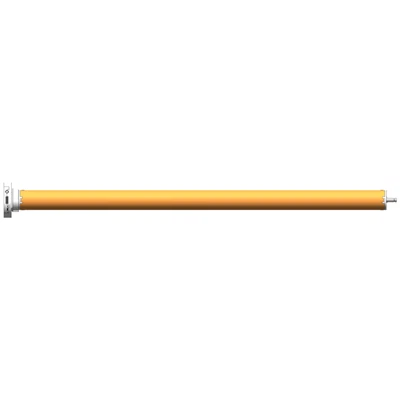
Hey there! As a supplier of DC Tubular Motors, I often get asked about setting limit switches for these motors. It's a crucial step that ensures the safe and efficient operation of your motor, so I'm here to break it down for you.
What are Limit Switches and Why are They Important?
Limit switches are devices that stop the motor when it reaches a pre - determined position. Think of them as the "brakes" for your DC tubular motor. They prevent the motor from over - running, which can cause damage to the motor itself, the connected equipment, or even pose a safety hazard. For example, in a window blind system using a DC tubular motor, limit switches ensure that the blind doesn't go beyond its fully open or fully closed position.
Tools You'll Need
Before you start setting the limit switches, gather the following tools:
- A small screwdriver (usually a Phillips - head or flat - head, depending on your motor model).
- A power source to operate the motor. Make sure it's the correct voltage for your DC tubular motor.
- Safety gloves and goggles, just to be on the safe side.
Step 1: Understand Your Motor
First things first, you need to understand the type of DC tubular motor you have. Different models may have slightly different limit switch settings. For instance, our 25mm Battery Electronic Radio Tubular Motor has a user - friendly design for limit switch adjustment, but the process might vary a bit from our 25mm Electronic Radio Tubular Motor or 25mm Smart Electronic Radio Tubular Motor. Check the user manual that came with your motor. It's like a treasure map that will guide you through the limit switch setting process.
Step 2: Power Off the Motor
Safety first! Before you start any work on the motor, turn off the power supply. This will prevent any accidental starts that could cause injury or damage to the motor. If your motor is battery - powered, remove the batteries. If it's connected to an electrical outlet, unplug it.
Step 3: Locate the Limit Switches
The limit switches are usually located inside the motor housing. You may need to remove a small cover using your screwdriver. Once you've removed the cover, you'll see two or more small switches. These are the limit switches. One switch is typically for the "open" position, and the other is for the "closed" position.
Step 4: Initial Setup
Some motors come with pre - set limit switch positions. However, you may need to adjust them to fit your specific application. Start by moving the motor to the fully open position manually. You can do this by gently turning the motor shaft (be careful not to force it). Once the motor is in the fully open position, locate the "open" limit switch. Use your screwdriver to adjust the switch so that it is just touching the actuator (the part that activates the switch).
Step 5: Set the Open Limit
Now, it's time to set the open limit. Re - connect the power supply to the motor. Use the control device (like a remote control or a wall switch) to run the motor towards the open position. As the motor approaches the fully open position, watch the limit switch. When the motor reaches the desired open position, the limit switch should activate and stop the motor. If it doesn't, turn off the power again and adjust the switch slightly. Keep repeating this process until the motor stops exactly at the desired open position.
Step 6: Set the Closed Limit
After setting the open limit, move the motor to the fully closed position manually. Locate the "closed" limit switch and adjust it in the same way as the open limit switch. Re - connect the power and run the motor towards the closed position. Make sure the motor stops at the desired closed position. If not, turn off the power and make further adjustments.
Step 7: Test the Motor
Once you've set both the open and closed limits, test the motor several times. Open and close the motor using the control device. Check if the motor stops accurately at the open and closed positions every time. If there are any issues, go back and adjust the limit switches again.
Troubleshooting
- Motor doesn't stop at the limit: This could be due to a mis - adjusted limit switch or a faulty switch. Check the switch adjustment and make sure it's making proper contact. If the switch is faulty, you may need to replace it.
- Motor over - runs: This might be because the limit switch is not activated properly. Check the wiring connections to the switch and make sure they are secure.
Conclusion
Setting the limit switches for a DC tubular motor may seem a bit tricky at first, but with a little patience and the right tools, you can do it. Remember, proper limit switch setting is essential for the safe and efficient operation of your motor. If you have any questions or need further assistance, don't hesitate to reach out.
If you're in the market for a high - quality DC tubular motor, we've got you covered. Our motors are designed with the latest technology and are built to last. Whether you need a 25mm Battery Electronic Radio Tubular Motor, 25mm Electronic Radio Tubular Motor, or 25mm Smart Electronic Radio Tubular Motor, we have the perfect solution for you. Contact us today to discuss your requirements and start the procurement process.


References
- General knowledge of DC tubular motors and limit switch technology.
- User manuals of various DC tubular motor models.