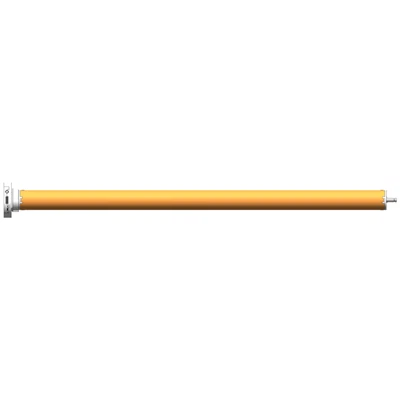
Hey there! As a curtain motor supplier, I've seen my fair share of issues with these nifty devices. Curtain motors are super convenient, but like any piece of tech, they can run into problems from time to time. In this blog, I'm gonna walk you through how to troubleshoot some common problems with curtain motors.
1. Motor Not Starting
One of the most common issues is when the curtain motor just won't start. There could be a few reasons for this.
Power Issues
First things first, check if the motor is getting power. It might sound obvious, but sometimes the power cord could be loose or unplugged. Make sure the plug is securely inserted into the outlet. If you're using a battery - powered curtain motor, check the batteries. Replace them if they're old or depleted.
Another thing to look at is the circuit breaker. If there's a power surge, the breaker might have tripped. Go to your electrical panel and check if the breaker for the area where the curtain motor is located has flipped. If it has, just flip it back to the "on" position.
Remote Control or App Connectivity
If your curtain motor is controlled by a remote or an app, connectivity issues could be the culprit. For remote controls, check the batteries. Replace them if they're low. Also, make sure you're within the operating range of the remote. Sometimes, interference from other electronic devices can disrupt the signal. Try moving other devices away from the curtain motor and the remote.
If you're using an app to control the motor, check if your phone is connected to the same Wi - Fi network as the motor. You can try restarting your phone and the Wi - Fi router. If the problem persists, you might need to re - pair the motor with the app. Refer to the user manual for the specific steps on how to do this.
We have some great curtain motors that are easy to connect and control, like our Flexible Silent Opening and Closing Curtain Motor. It's designed to work smoothly with both remote and app controls.
2. Noisy Operation
A noisy curtain motor can be really annoying. There are a few possible causes for this.
Loose Parts
Over time, the parts of the curtain motor can become loose. Check if there are any loose screws or bolts on the motor or the curtain rail. Tighten them using a screwdriver or a wrench. Also, make sure the curtain is properly installed on the rail. If the curtain is rubbing against the rail or other parts of the motor, it can cause noise. Adjust the curtain so that it hangs freely.
Worn - Out Bearings
The bearings in the motor can wear out over time, causing a grinding or squeaking noise. If you suspect that the bearings are the problem, it's best to contact a professional technician. They can replace the worn - out bearings for you.


Our Super Quiet Smart WiFi Curtain Motor is designed to operate quietly. But even the best motors can have issues, and these troubleshooting steps should help you keep it running smoothly.
3. Inconsistent Movement
If your curtain motor moves unevenly or stops in the middle of opening or closing, there are a few things you can do.
Obstructions
Check if there are any obstructions on the curtain rail. Something as simple as a piece of debris or a small object can prevent the curtain from moving smoothly. Remove any obstructions you find.
Motor Calibration
Sometimes, the motor might need to be calibrated. This is especially true if you've recently installed the motor or if it's been moved. Refer to the user manual for the calibration procedure. Usually, it involves using the remote or the app to set the limits for the opening and closing of the curtain.
4. Overheating
If your curtain motor feels hot to the touch, it could be overheating. This is a serious issue that needs to be addressed immediately.
Overloading
Check if the curtain is too heavy for the motor. Using a motor that's not rated for the weight of the curtain can cause it to overheat. If this is the case, you might need to upgrade to a more powerful motor.
Poor Ventilation
Make sure the motor has proper ventilation. If it's installed in a confined space, it might not be able to dissipate heat effectively. Try moving the motor to a more open area or adding some ventilation around it.
5. Error Codes
Some curtain motors come with a display that shows error codes when there's a problem. If you see an error code on your motor, refer to the user manual. The manual will have a list of error codes and their corresponding solutions.
If you're still having trouble after trying all these troubleshooting steps, don't worry. We're here to help. As a curtain motor supplier, we have a team of experts who can assist you with any issues you might be facing. Whether it's a simple fix or a more complex problem, we're committed to providing you with the best solutions.
If you're interested in purchasing our curtain motors or need more information, feel free to reach out to us. We're always happy to have a chat and discuss your requirements. We can also offer you some great deals on our high - quality curtain motors.
So, don't let these common problems with curtain motors get you down. With a little troubleshooting and our support, you can keep your curtain motor running smoothly for years to come.
References
- Curtain motor user manuals
- Industry knowledge and experience as a curtain motor supplier