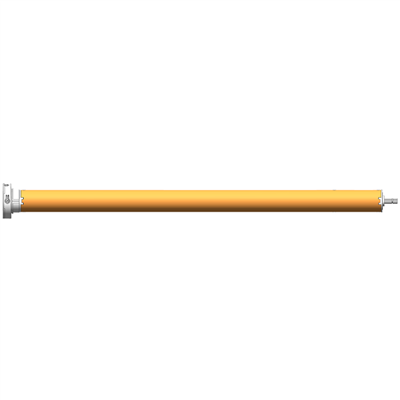
As a supplier of Built-In Wireless Remote Control Tubular Motors, I often receive inquiries from customers about how to extend the range of the wireless remote for these motors. In this blog post, I'll share some practical and scientific methods to help you achieve this goal.
Understanding the Basics of Wireless Remote Range
Before diving into the solutions, it's essential to understand what affects the range of a wireless remote for a built-in tubular motor. The range is primarily determined by the power of the remote's transmitter, the sensitivity of the motor's receiver, and the presence of obstacles between the remote and the motor.
The power of the transmitter is measured in milliwatts (mW). A higher power means the signal can travel farther. However, regulatory limits often restrict the maximum power output to ensure safety and prevent interference with other wireless devices. The sensitivity of the receiver, on the other hand, refers to its ability to detect weak signals. A more sensitive receiver can pick up signals from a greater distance.
Obstacles such as walls, furniture, and metal objects can significantly reduce the range of the wireless remote. These objects can absorb, reflect, or scatter the radio waves, weakening the signal before it reaches the motor's receiver.
Methods to Extend the Wireless Remote Range
1. Upgrade the Remote and Receiver
One of the most effective ways to extend the range is to upgrade the wireless remote and the motor's receiver to models with higher power and sensitivity. Our company offers a variety of high-performance products, such as the 35mm Standard Tubular Motor, 35mm Radio Tubular Motor, and 35mm Smart Electronic Radio Tubular Motor. These motors are equipped with advanced wireless technology, allowing for a longer range and more stable signal transmission.
When upgrading, make sure that the new remote and receiver are compatible with each other and with your existing tubular motor. You may need to consult the product manual or contact our technical support team for assistance.


2. Optimize the Antenna Placement
The antenna plays a crucial role in the transmission and reception of wireless signals. To extend the range, you should ensure that the antennas on both the remote and the motor's receiver are properly positioned.
On the remote, the antenna is usually built-in. Make sure that it is not blocked by your hand or other objects when you use the remote. Hold the remote in a way that the antenna is in a vertical position, as this orientation generally provides the best signal propagation.
For the motor's receiver, check the product manual to find the recommended antenna placement. In most cases, the antenna should be extended fully and placed in an open area, away from metal objects and other sources of interference. You can also try adjusting the angle of the antenna to find the optimal position for signal reception.
3. Eliminate Obstacles
As mentioned earlier, obstacles can significantly reduce the range of the wireless remote. To extend the range, try to eliminate or minimize the number of obstacles between the remote and the motor.
If possible, move furniture or other objects that are blocking the line of sight between the remote and the motor. You can also consider using a wireless signal repeater or extender. These devices can receive the signal from the remote, amplify it, and then retransmit it to the motor's receiver, effectively extending the range.
4. Use a Different Frequency Band
Some wireless remotes for tubular motors support multiple frequency bands. If you are experiencing range issues, you can try switching to a different frequency band. This can help avoid interference from other wireless devices operating on the same frequency.
Before changing the frequency band, make sure that the new frequency is legal and available in your area. You may need to consult the product manual or contact our technical support team for guidance on how to change the frequency.
5. Keep the Batteries Fresh
The power of the remote's transmitter is directly related to the battery level. Low battery levels can result in a weaker signal and a shorter range. To ensure optimal performance, replace the batteries in the remote regularly.
Use high-quality batteries and follow the manufacturer's recommendations for battery type and replacement intervals. You can also consider using rechargeable batteries to save money and reduce environmental impact.
Testing and Troubleshooting
After implementing the above methods, it's important to test the range of the wireless remote to see if the improvements are effective. Stand at different distances from the motor and try operating the remote. If you still experience range issues, here are some troubleshooting steps you can take:
- Check the connections between the motor, the receiver, and the power supply. Make sure that all connections are secure and there are no loose wires.
- Reset the remote and the motor's receiver. This can sometimes resolve issues caused by temporary glitches or interference. Refer to the product manual for instructions on how to perform a reset.
- Contact our technical support team. If you have tried all the above steps and still cannot extend the range, our team of experts can provide further assistance. We can diagnose the problem and recommend a suitable solution based on your specific situation.
Conclusion
Extending the range of the wireless remote for a built-in tubular motor is achievable through a combination of upgrading the equipment, optimizing the antenna placement, eliminating obstacles, using a different frequency band, and keeping the batteries fresh. By following the methods outlined in this blog post, you can enjoy a longer range and more convenient operation of your tubular motor.
If you are interested in upgrading your tubular motor or have any questions about extending the wireless remote range, please feel free to contact us for more information. We are committed to providing high-quality products and excellent customer service, and we look forward to helping you find the best solution for your needs.
References
- Wireless Communication Principles and Practice, Theodore S. Rappaport
- RF and Microwave Wireless Systems, David M. Pozar