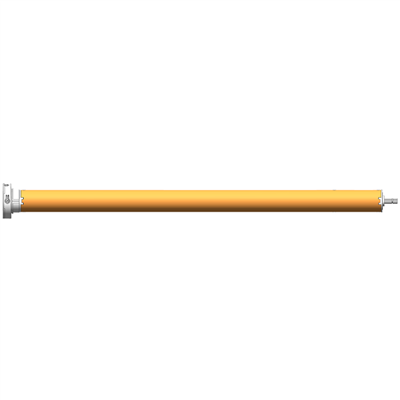
As a supplier of the Super Quiet Smart WiFi Curtain Motor, I am often asked about how to program the opening and closing times of these innovative devices. In this blog post, I will provide a comprehensive guide on this topic, ensuring that you can make the most of your smart curtain motor.
Understanding the Basics of the Super Quiet Smart WiFi Curtain Motor
Before diving into the programming process, it's essential to understand the features and benefits of the Super Quiet Smart WiFi Curtain Motor. This motor is designed to offer a seamless and quiet operation, allowing you to control your curtains with ease. The WiFi connectivity enables you to manage the curtains from anywhere using your smartphone or other smart devices.
One of the key advantages of this motor is its flexibility. It can be programmed to open and close at specific times, which is particularly useful for creating a comfortable and convenient living environment. For example, you can set the curtains to open in the morning to let in natural light or close at night for privacy and security.
Prerequisites for Programming
Before you start programming the opening and closing times of your Super Quiet Smart WiFi Curtain Motor, you need to ensure that you have the following:
- Smartphone or Tablet: You will need a device with a compatible operating system (iOS or Android) to install the control app.
- Stable WiFi Connection: The motor needs to be connected to a stable WiFi network to communicate with your smart device.
- Control App: Download and install the official control app for the Super Quiet Smart WiFi Curtain Motor from the App Store or Google Play.
Step-by-Step Guide to Programming the Opening and Closing Times
Step 1: Connect the Motor to WiFi
- Power on the Super Quiet Smart WiFi Curtain Motor and wait for it to enter the pairing mode. This usually involves pressing a specific button on the motor or following the instructions in the user manual.
- Open the control app on your smartphone or tablet and follow the on-screen instructions to connect the motor to your WiFi network. You may need to enter your WiFi password during this process.
Step 2: Set Up the Curtain Motor in the App
- Once the motor is connected to WiFi, open the control app and add the curtain motor to your device list. You may need to scan a QR code or enter a serial number to complete this step.
- Calibrate the curtain motor to ensure that it moves the curtains correctly. This may involve setting the maximum and minimum travel limits of the motor.
Step 3: Program the Opening and Closing Times
- In the control app, navigate to the scheduling or timer section. This is where you can set the opening and closing times for your curtains.
- Click on the "Add Schedule" or "New Timer" button to create a new schedule.
- Select the days of the week when you want the curtains to open and close. You can choose specific days or set a recurring schedule for every day of the week.
- Set the opening and closing times. You can use the time picker in the app to select the exact time you want the curtains to open or close.
- Optionally, you can set different schedules for different days of the week or create multiple schedules to suit your needs.
Step 4: Save and Apply the Schedule
- Once you have set the opening and closing times, click on the "Save" or "Apply" button to save the schedule.
- The control app will send the schedule to the Super Quiet Smart WiFi Curtain Motor, and the motor will start following the programmed times.
Troubleshooting Tips
If you encounter any issues while programming the opening and closing times of your Super Quiet Smart WiFi Curtain Motor, here are some troubleshooting tips:
- Check the WiFi Connection: Ensure that the motor is connected to a stable WiFi network. You can try restarting your router or moving the motor closer to the router to improve the signal strength.
- Update the Control App: Make sure that you are using the latest version of the control app. You can check for updates in the App Store or Google Play.
- Reset the Motor: If all else fails, you can try resetting the Super Quiet Smart WiFi Curtain Motor to its factory settings. Refer to the user manual for instructions on how to do this.
Other Features and Benefits of the Super Quiet Smart WiFi Curtain Motor
In addition to programming the opening and closing times, the Super Quiet Smart WiFi Curtain Motor offers several other features and benefits:
- Voice Control: You can integrate the motor with popular voice assistants such as Amazon Alexa or Google Assistant, allowing you to control the curtains using voice commands.
- Remote Control: The WiFi connectivity enables you to control the curtains from anywhere in the world, as long as you have an internet connection.
- Silent Operation: The motor is designed to operate quietly, ensuring that it does not disturb your daily activities.
- Flexible Installation: The motor can be easily installed on various types of curtains, including roller curtains, Venetian blinds, and more.
Conclusion
Programming the opening and closing times of the Super Quiet Smart WiFi Curtain Motor is a simple and straightforward process that can significantly enhance your living experience. By following the steps outlined in this guide, you can create a personalized schedule for your curtains and enjoy the convenience and comfort of smart home technology.
If you are interested in purchasing the Super Quiet Smart WiFi Curtain Motor or the Flexible Silent Opening and Closing Curtain Motor, please feel free to contact us for more information and to discuss your specific requirements. We are committed to providing high-quality products and excellent customer service.


References
- User Manual of Super Quiet Smart WiFi Curtain Motor
- Control App Documentation