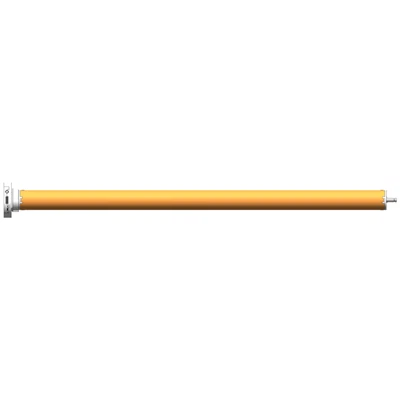
Hey there! As a supplier of Built-In Wireless Remote Control Tubular Motors, I often get asked about how to replace the battery in the wireless remote. It's actually a pretty straightforward process, and in this blog post, I'll walk you through it step by step.
Why Replace the Battery?
Before we dive into the process, let's talk about why you might need to replace the battery in your wireless remote. Over time, the battery will lose its charge, and you'll start to notice that the remote isn't working as well as it used to. You might have to press the buttons harder or get closer to the motor for it to respond. That's a sure sign that it's time to replace the battery.
What You'll Need
To replace the battery in your wireless remote, you'll need a few things:
- A new battery. The type of battery you need will depend on the model of your remote. Most wireless remotes use AAA or CR2032 batteries, but it's always a good idea to check the user manual to be sure.
- A small Phillips head screwdriver. You'll need this to open the battery compartment.
Step 1: Identify the Battery Compartment
The first step is to find the battery compartment on your wireless remote. It's usually located on the back of the remote, and it might be covered by a small plastic or metal plate. Look for a small indentation or a slot where you can insert the tip of your screwdriver.
Step 2: Open the Battery Compartment
Once you've located the battery compartment, use your screwdriver to carefully remove the screws that hold the plate in place. Be sure to keep the screws in a safe place so you don't lose them. Once the screws are removed, gently lift the plate off the battery compartment.
Step 3: Remove the Old Battery
Inside the battery compartment, you'll see the old battery. It's usually held in place by a small metal clip or a spring. Use your fingers or a small pair of tweezers to carefully remove the old battery from the clip or spring. Be sure to note the orientation of the battery so you can insert the new one correctly.
Step 4: Insert the New Battery
Take your new battery and insert it into the battery compartment, making sure it's oriented correctly. If the battery has a positive and negative side, make sure the positive side is facing up. Once the battery is in place, gently press it down until it clicks into the clip or spring.


Step 5: Replace the Battery Compartment Plate
Once the new battery is inserted, carefully place the battery compartment plate back on the remote. Align the holes in the plate with the screws and use your screwdriver to tighten them. Be careful not to overtighten the screws, as this could damage the remote.
Step 6: Test the Remote
Now that you've replaced the battery, it's time to test the remote. Press a few buttons on the remote and see if the motor responds. If it does, then you've successfully replaced the battery. If not, double-check to make sure the battery is inserted correctly and that the remote is within range of the motor.
Tips and Tricks
- If you're having trouble removing the old battery, try using a small pair of tweezers or a toothpick to gently pry it out.
- If the battery compartment is dirty or has debris in it, use a small brush or a can of compressed air to clean it out before inserting the new battery.
- If you're not sure what type of battery to use, check the user manual or contact the manufacturer of your tubular motor.
- It's a good idea to keep a spare battery on hand so you can quickly replace it when needed.
Our Tubular Motors
As a supplier of Built-In Wireless Remote Control Tubular Motors, we offer a wide range of products to meet your needs. Our 35mm Radio Tubular Motor is a popular choice for many customers. It's easy to install and comes with a wireless remote control for convenient operation.
If you're looking for a more advanced option, our 35mm Smart Electronic Radio Tubular Motor is a great choice. It features smart technology that allows you to control the motor using your smartphone or other smart devices.
And if you're on a budget, our 35mm Standard Tubular Motor is a reliable and affordable option. It's a simple and straightforward motor that gets the job done.
Contact Us
If you're interested in purchasing our tubular motors or have any questions about battery replacement or our products, please don't hesitate to contact us. We're here to help you find the right solution for your needs.
References
- User manuals for tubular motors and wireless remotes.
- Personal experience as a supplier of Built-In Wireless Remote Control Tubular Motors.